Fast ordering on your phone
Big buttons, plain words and the same layout on every screen, so it's quick to learn.
- Options, sides and notes
- Send only what's new to the kitchen
- Undo a mistake before it's sent
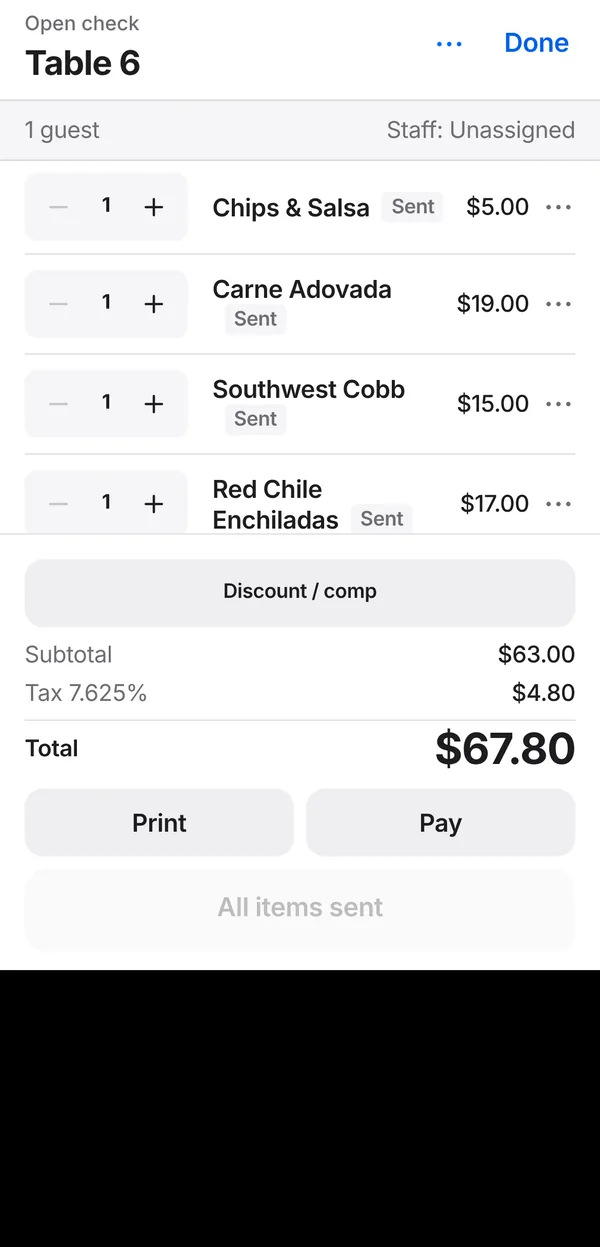
Restaurant POS for iPhone and iPad
Relay replaces handwritten tickets with a simple system for your iPhone or iPad. Take the order at the table, send it to the kitchen, print the check, and close the night. A real person sets it up with you.
How it works
No more handwritten tickets, lost orders or adding up checks by hand.
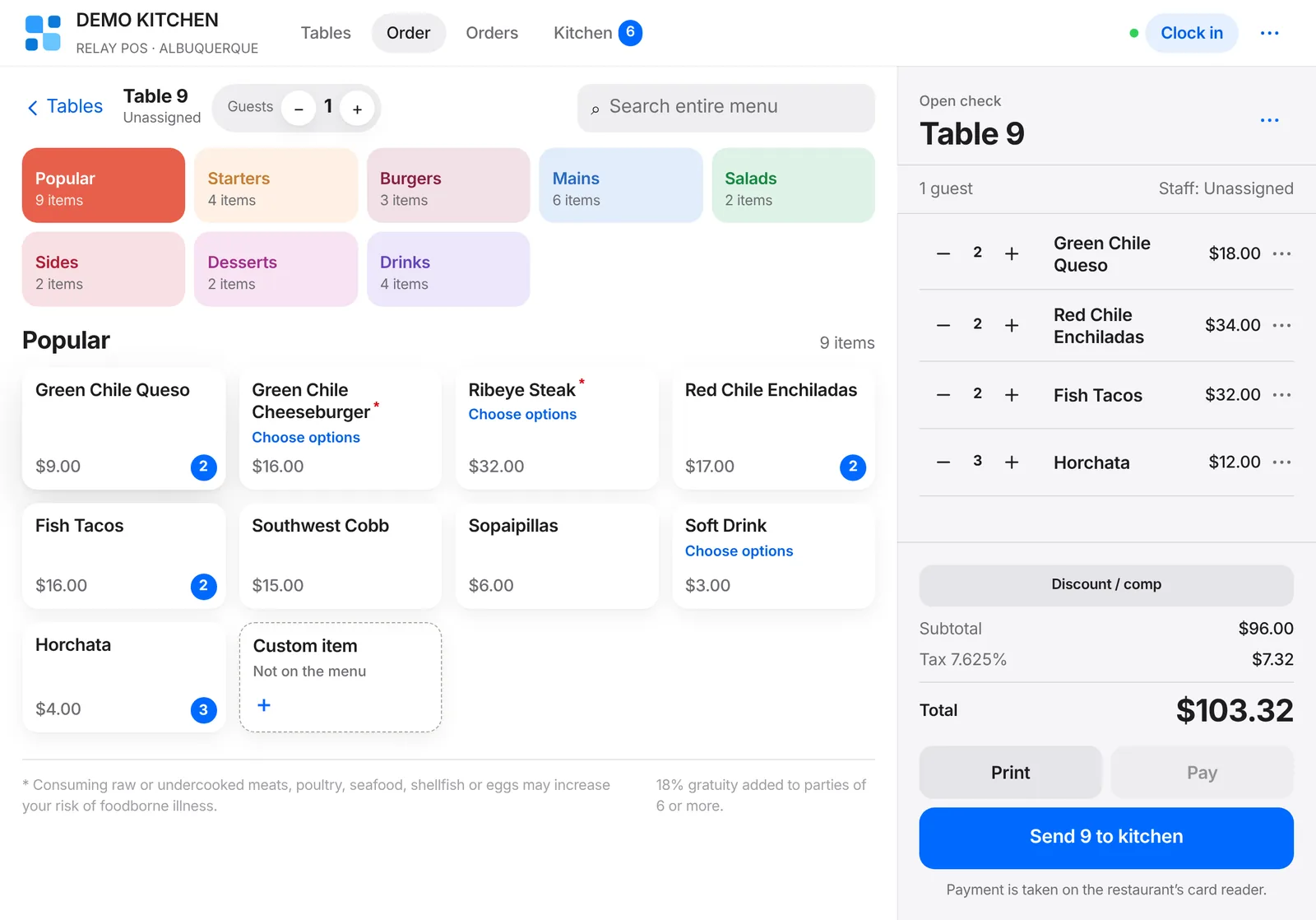
Tap the table, tap the dishes. Options, notes and guest count are one tap away.
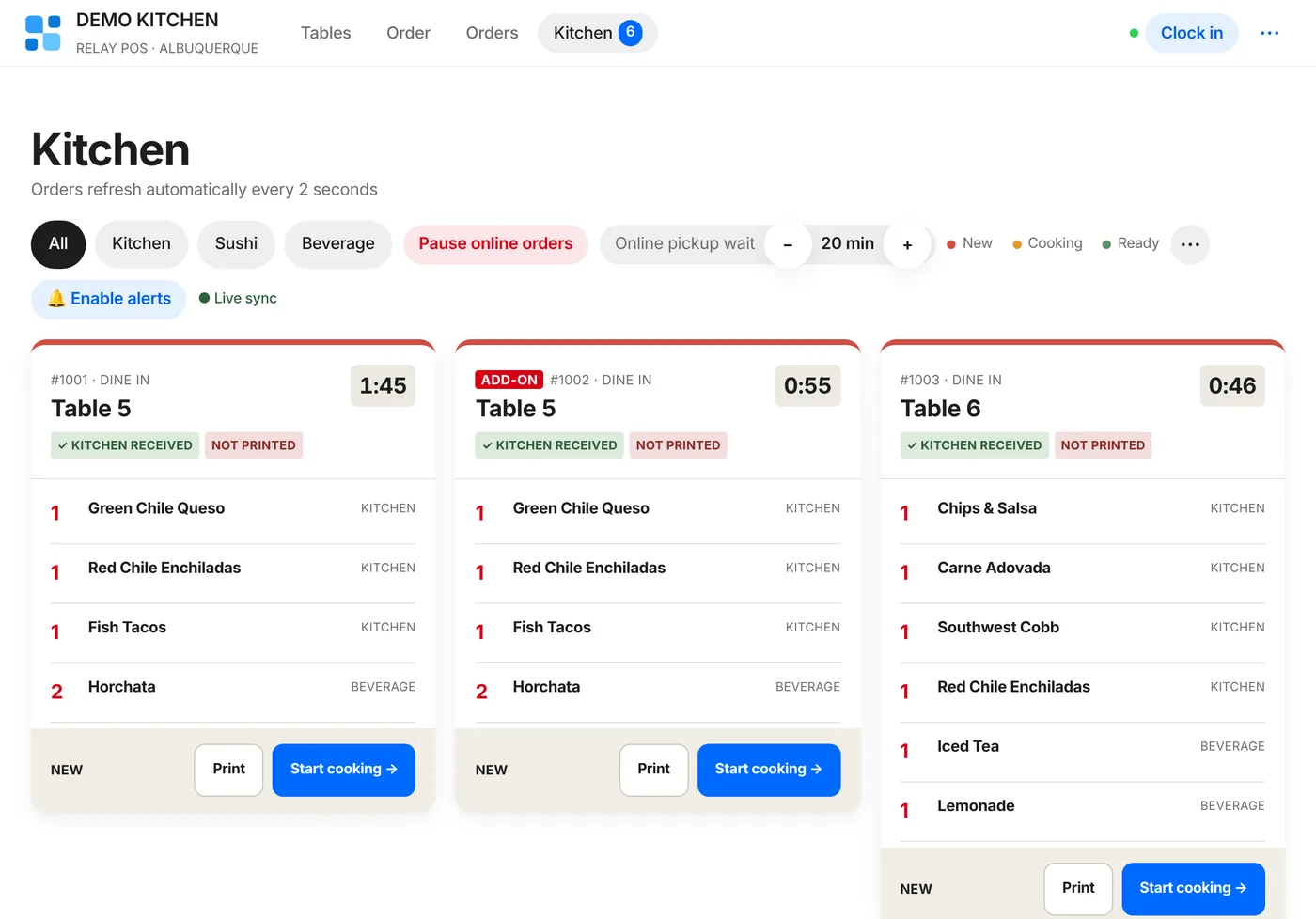
Orders land on the kitchen screen with a timer, or print as a ticket. Later additions are marked as add-ons.
Tax and large-party gratuity are figured for you. At close, the owner sees sales, voids and top items in one place.
Everything a shift needs
Big buttons, plain words and the same layout on every screen, so it's quick to learn.
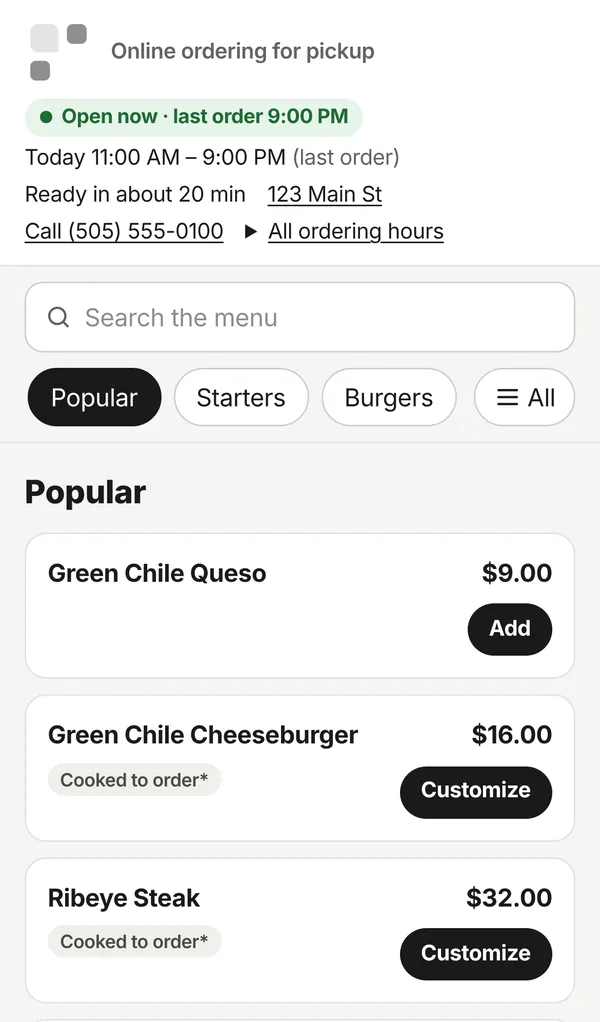
A pickup ordering page with your menu, at a web address for your restaurant. Customers pay by card online and the order goes straight to your kitchen. We turn it on once your in-house setup is running smoothly.
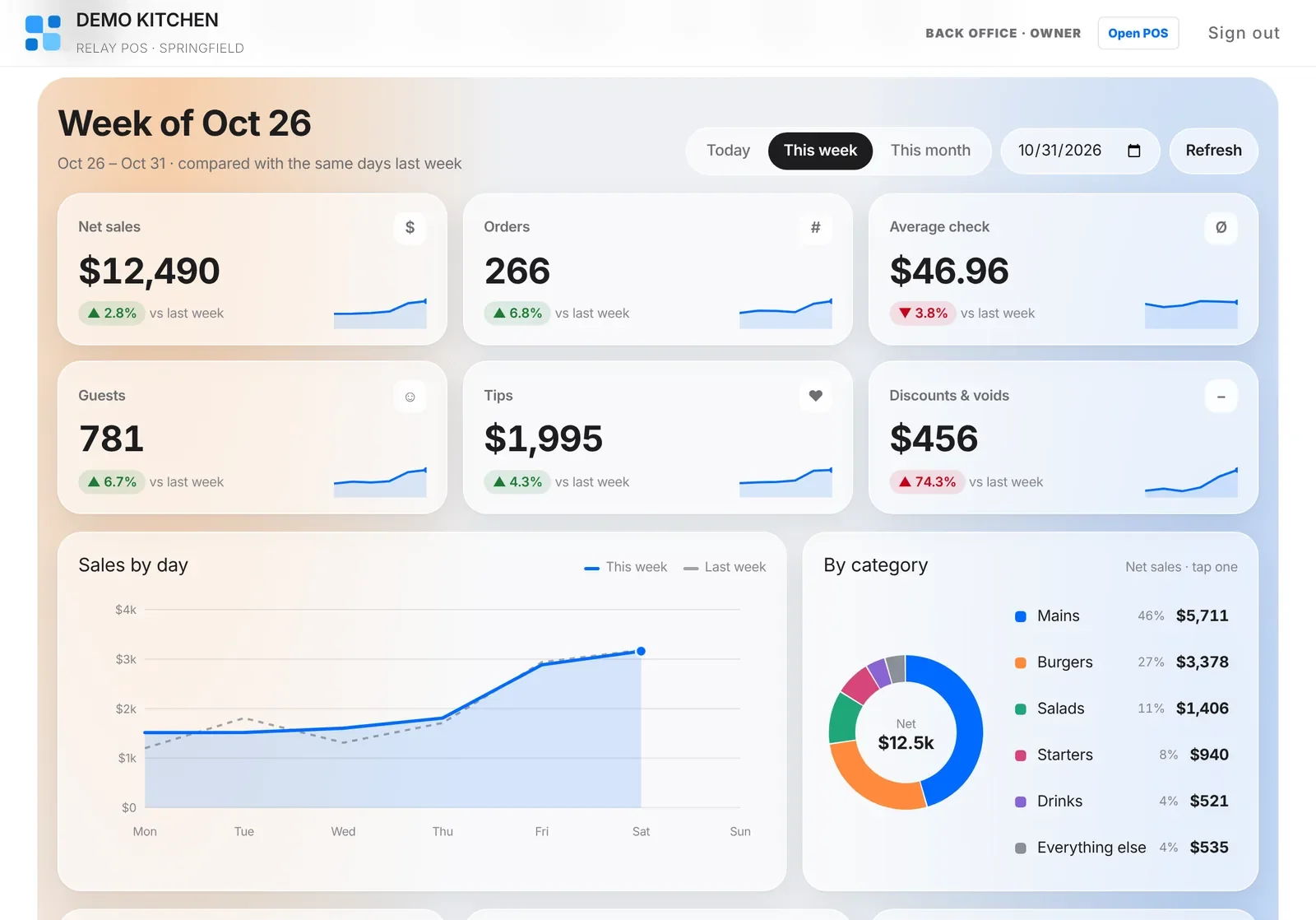
Sales, orders, average check, guests, tips and discounts, each compared with last week. Tap any number, hour, category or dish to see what's behind it.
Staff sign in with their own PIN. Voids, comps and reopened checks ask for a manager. Every change is in the activity log with a name and time.
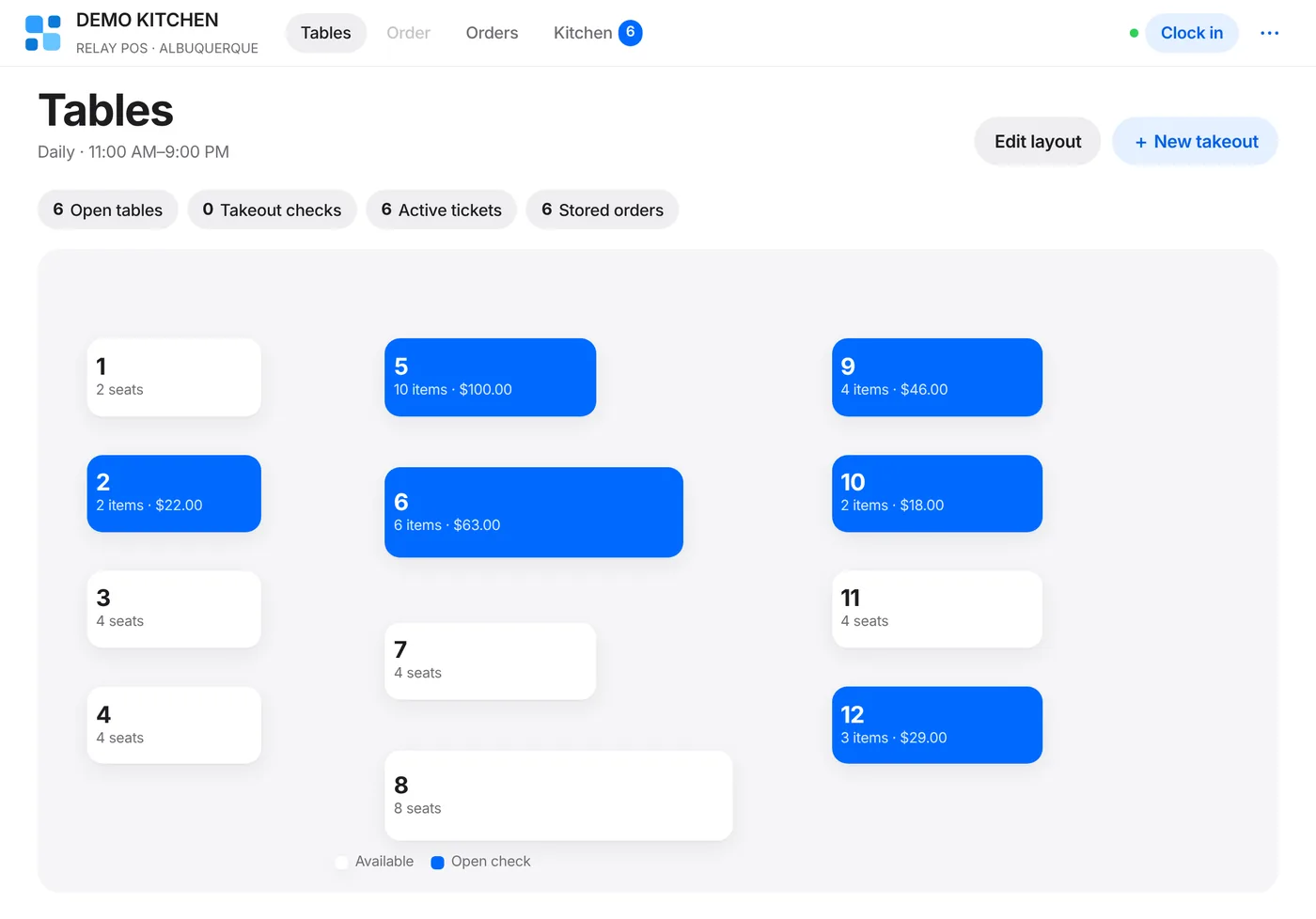
Change prices, add photos and set up options yourself. Arrange tables to match your dining room. Pull close-out and sales reports, with tax totals, whenever you need them.
Why Relay
Relay is made for small, independent restaurants that want a simple system and someone they know by name to call.
Relay runs on the iPhone or iPad you already own. Add a receipt printer and you're set.
Plain words, big buttons and the same layout everywhere. We run practice orders with your staff before your first real service.
We set Relay up in person with you, and you reach us directly when you need help.
Export your orders and sales any time. Closed checks are kept for your tax records.
Questions owners ask
No. Relay runs in the web browser on the iPhone or iPad you already have. The only extra piece is a Star receipt printer if you want printed tickets and checks.
Keep it. Today you run the card on the reader you already use and mark the check paid in Relay, which records how each check was paid. We're working on connecting Relay directly to card readers so the amount is entered only once.
Yes, when you're ready. Relay includes a pickup ordering page with your menu and hours, customers pay by card online, and orders show up in your kitchen. We turn it on after your in-house setup is running smoothly.
We load your menu and floor plan with you, then run practice orders with your staff before your first real service.
Reach out and we'll walk you through it for your restaurant.
Us. You reach the people who build Relay directly, not a call center.
Book a demo
We'll come by, show you Relay on your phone, and answer your questions. It takes about 20 minutes, with no obligation.